You can add your business email to Gmail so you can send mail from your business address directly inside Gmail.
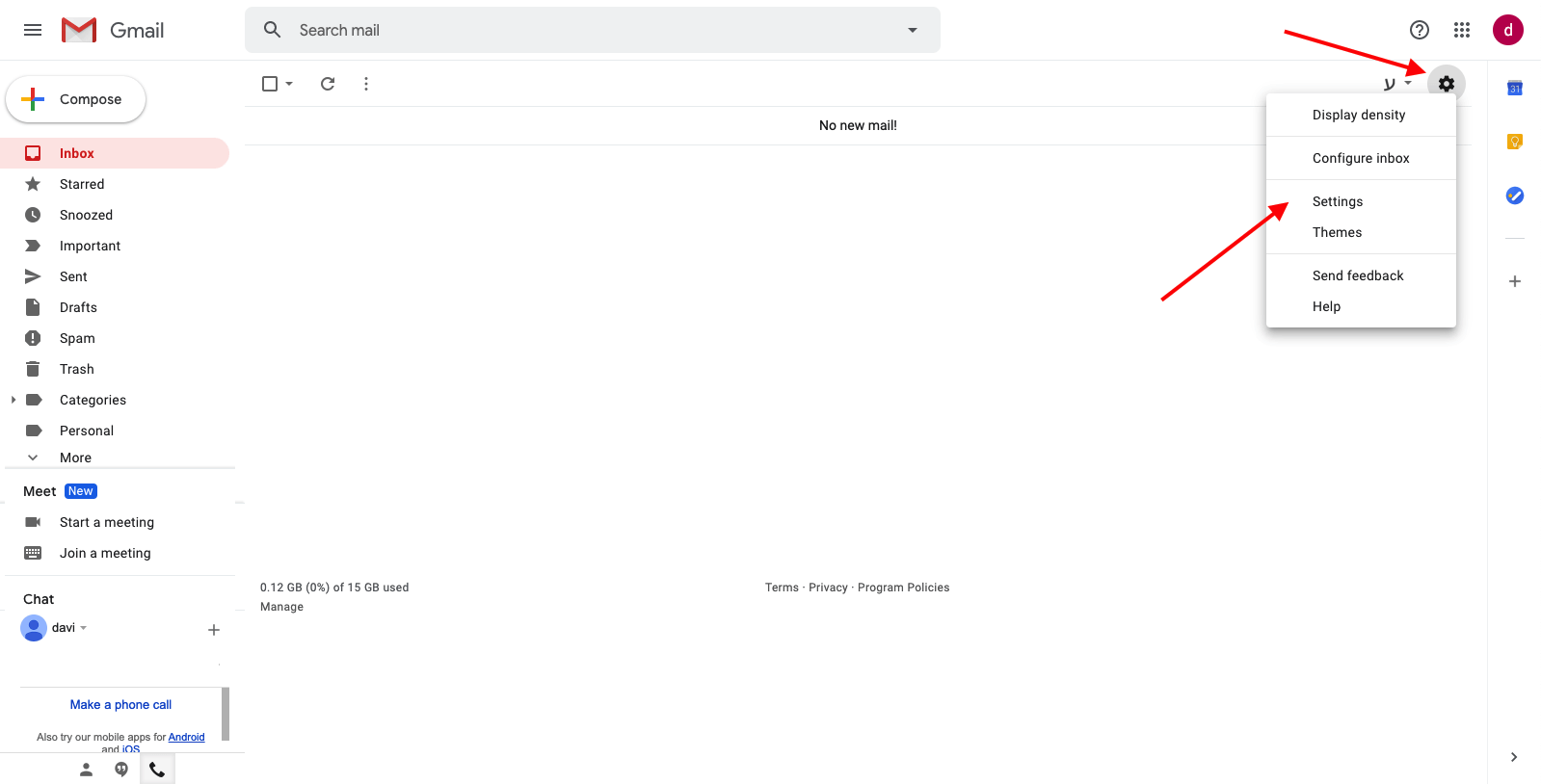
- In Gmail, click the gear icon → See all settings
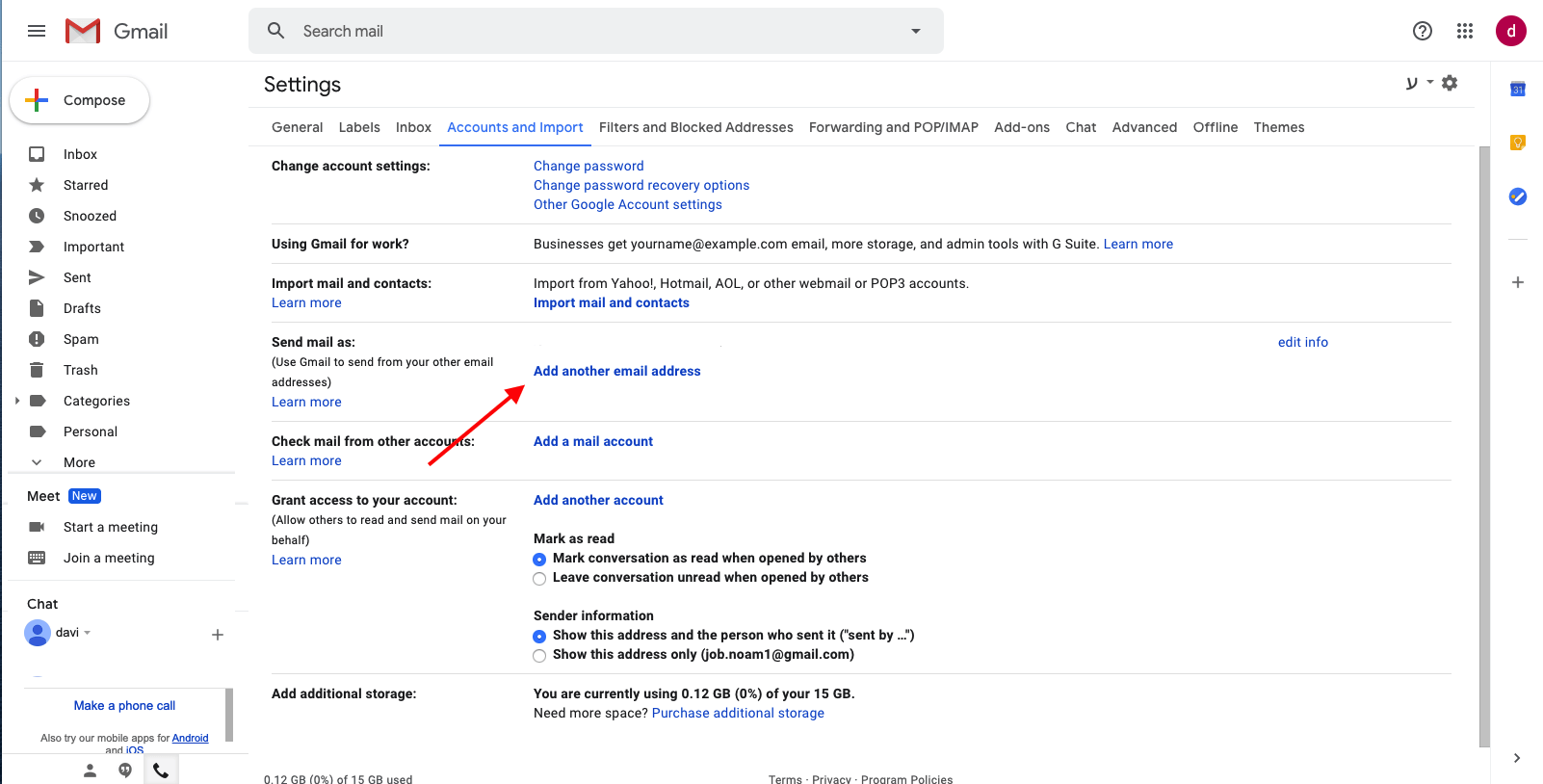
- Open the Accounts and Imports tab
- Under Send mail as, click Add another email address
- Enter your Name and your business email address → click Next Step
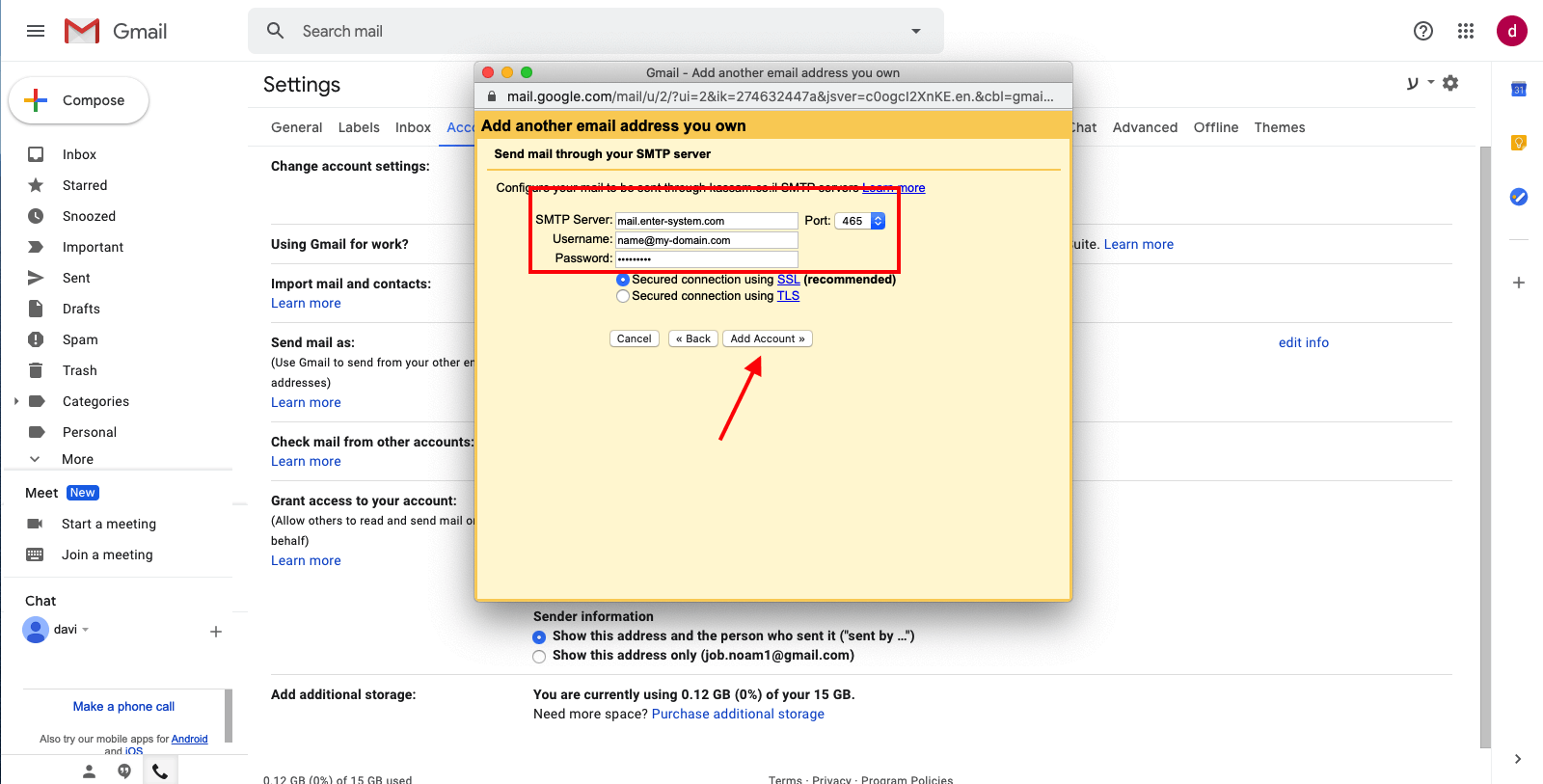
- Add these SMTP settings and click Add Account:
- SMTP Server: mail.enter-system.com
- Port: 465
- Username: your full email address
- Password: your email account password
- Select Secured connection using SSL
Visual guide: