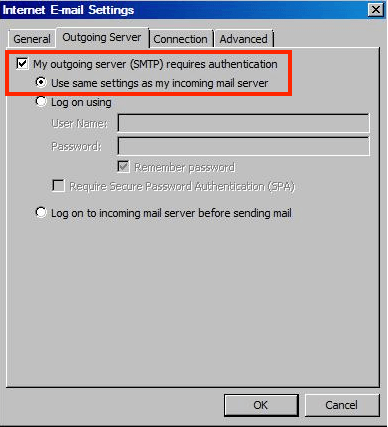
1) Enable SMTP authentication
- Click More Settings…
- Open the Outgoing Server tab
- Check My outgoing server (SMTP) requires authentication
- Select Use same settings as my incoming mail server
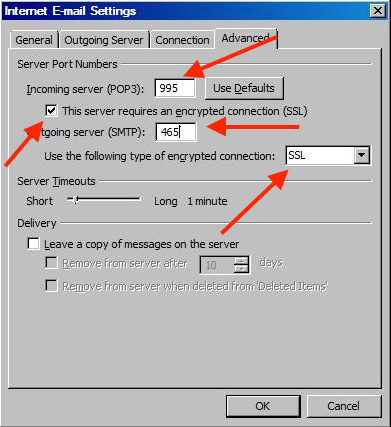
2) Set ports and encryption (Advanced tab)
- Incoming (POP3): Port 995 + enable This server requires an encrypted connection (SSL)
- Incoming (IMAP): Port 993 + enable This server requires an encrypted connection (SSL)
- Outgoing (SMTP): Port 465 + Encryption type SSL
Click OK to save.