If you want Gmail to also receive incoming emails from your business mailbox, you can add it via POP3.
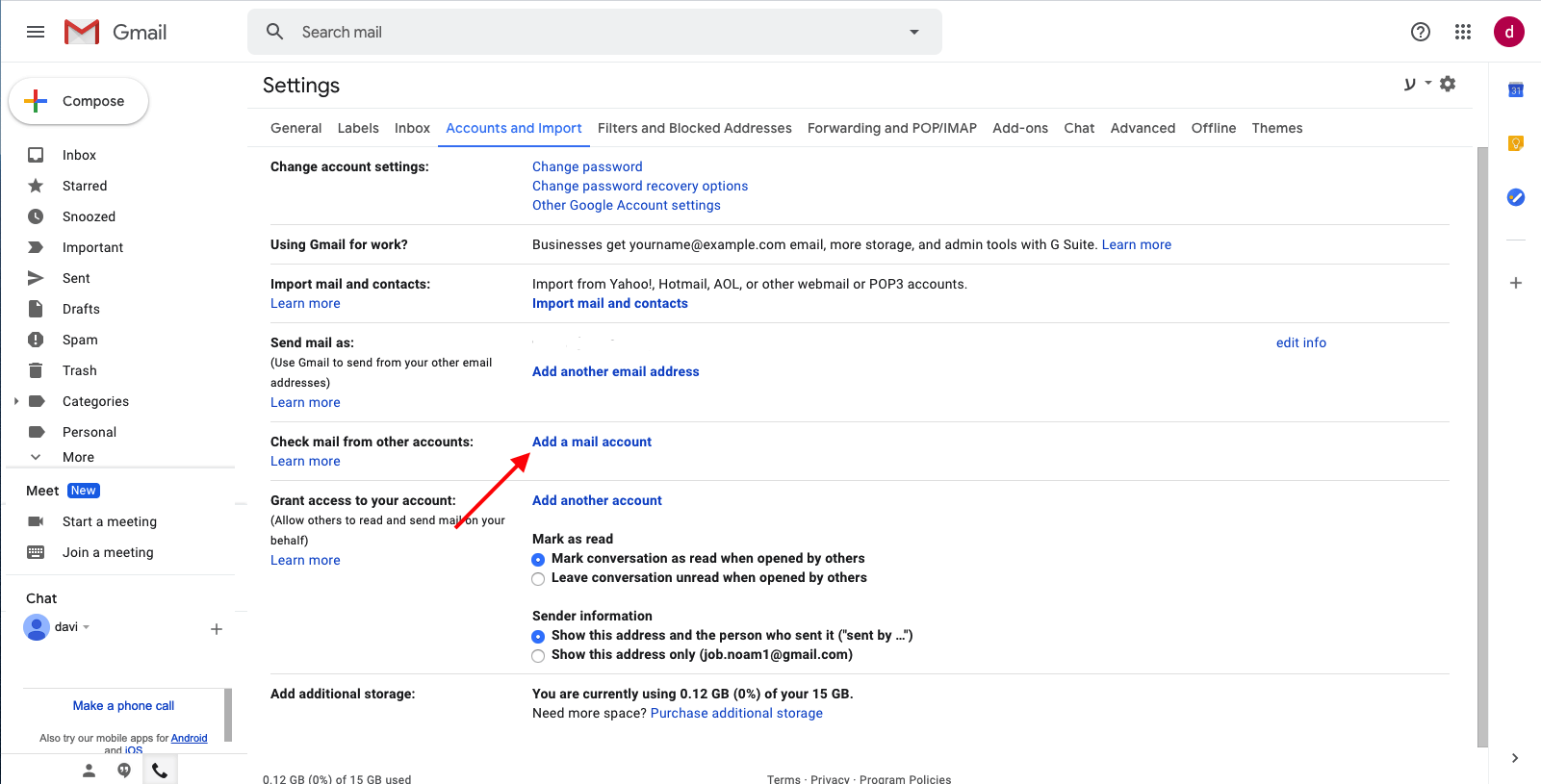
- Go to Gmail Settings → See all settings → Accounts and Imports
- Find Check mail from other accounts and click Add a mail account
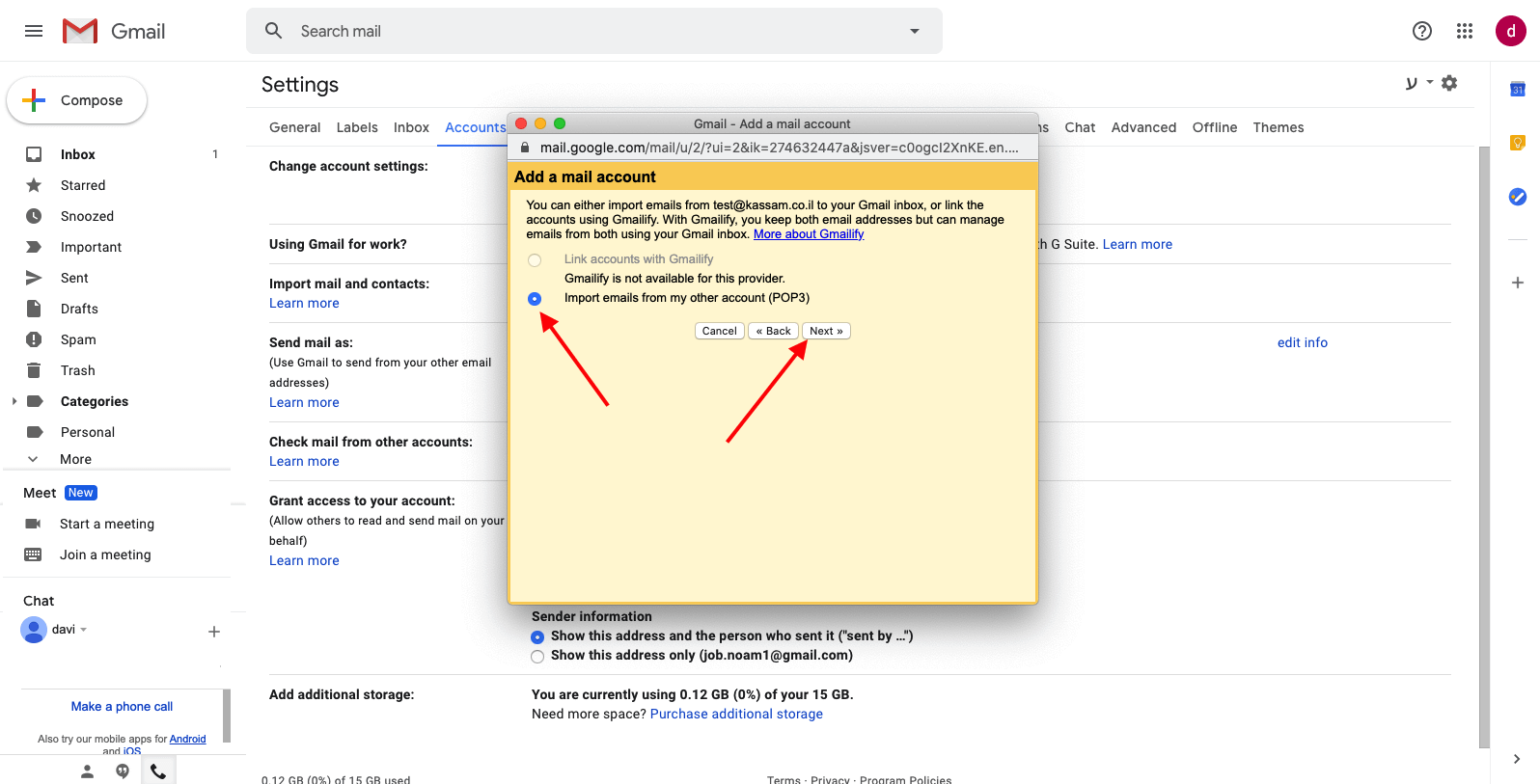
- Enter your business email address → click Next
- Select Import emails from my other account (POP3) → click Next
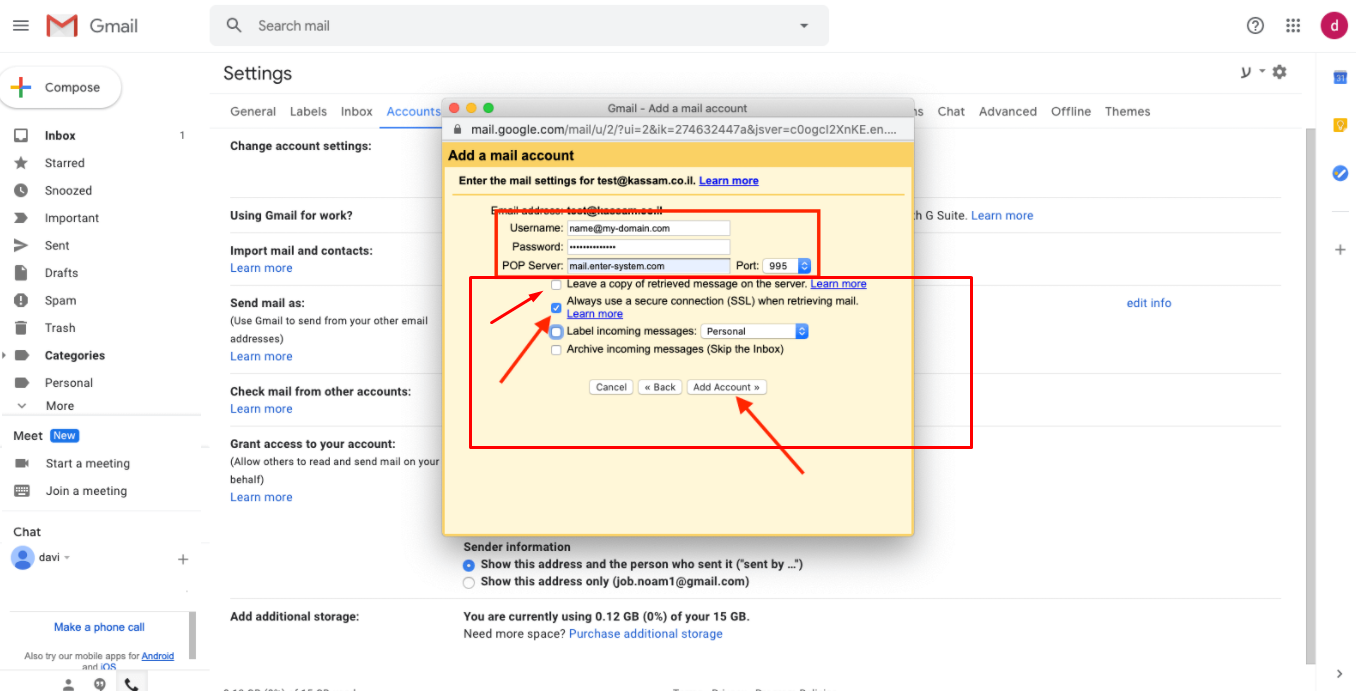
- Enter these POP settings and click Add Account:
- Username: your full email address
- Password: your email account password
- POP Server: mail.enter-system.com
- Port: 995
- Enable Always use a secure connection (SSL) when retrieving mail
Visual guide: