Optional: How do I add MX records for email or point my domain using nameservers?
Option A: Add MX records (for email accounts created with us)
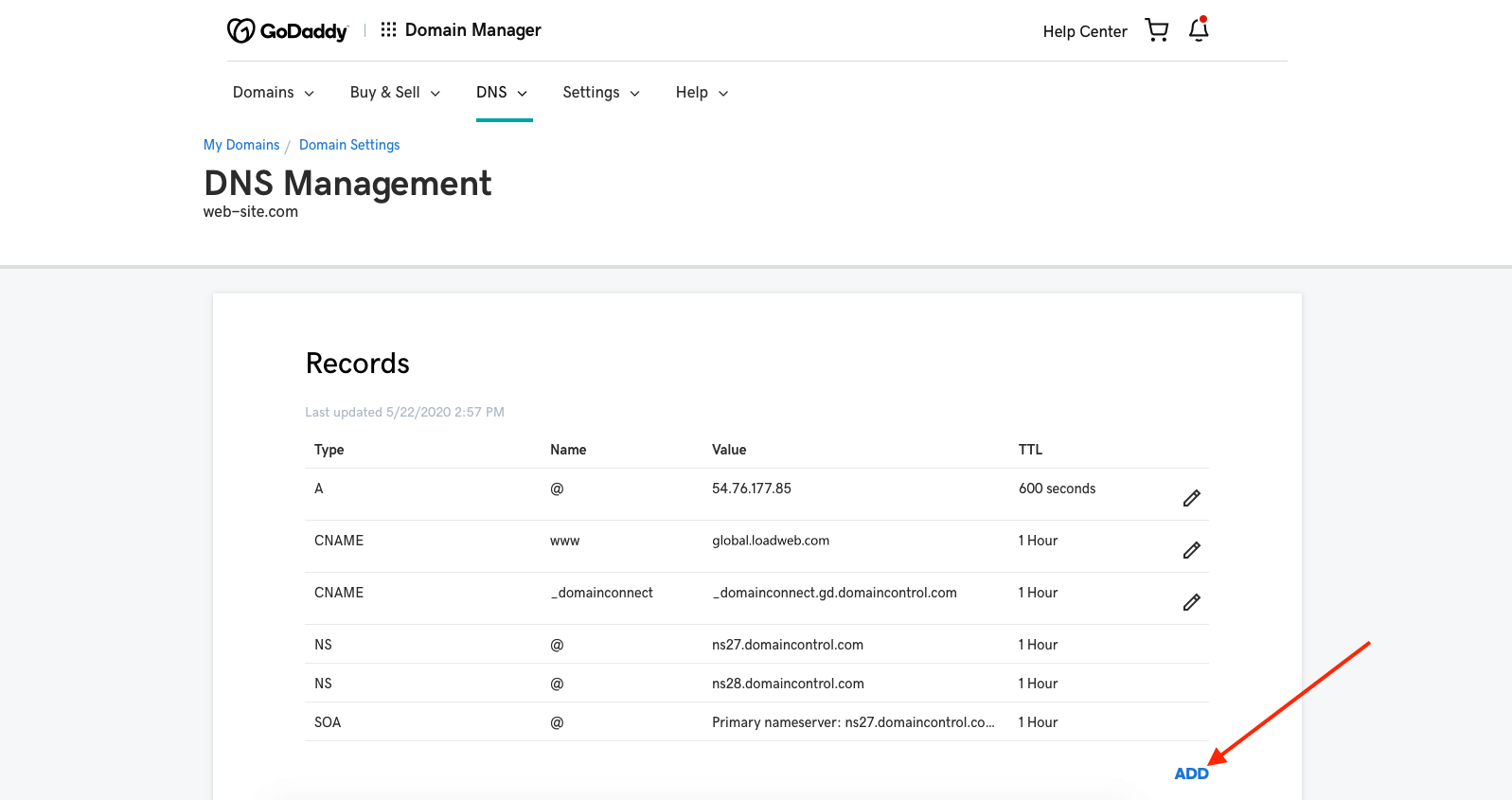
In GoDaddy DNS Management, go to the MX Records section.
Click Add.
Add and save each of these records:
MX Record 1: Host @ → Points to mailme.enter-system.com → Priority 0
MX Record 2: Host @ → Points to mailme.enter-system.com → Priority 10
MX Record 3: Host @ → Points to mailme-backup.enter-system.com → Priority 20
Option B: Point your domain using nameservers (to forward full DNS management to your website)
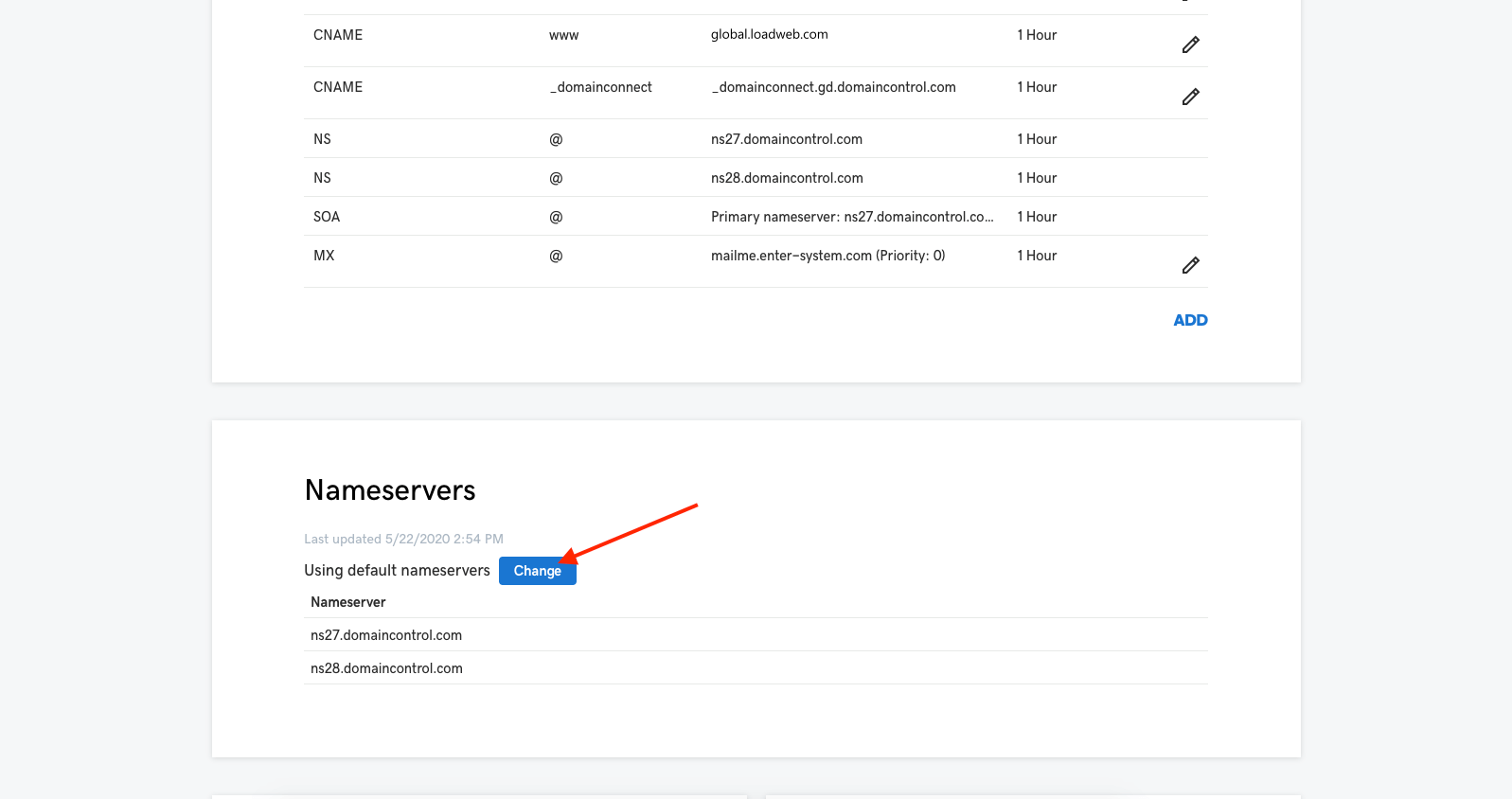
In GoDaddy DNS Management, scroll to Nameservers and click Change.
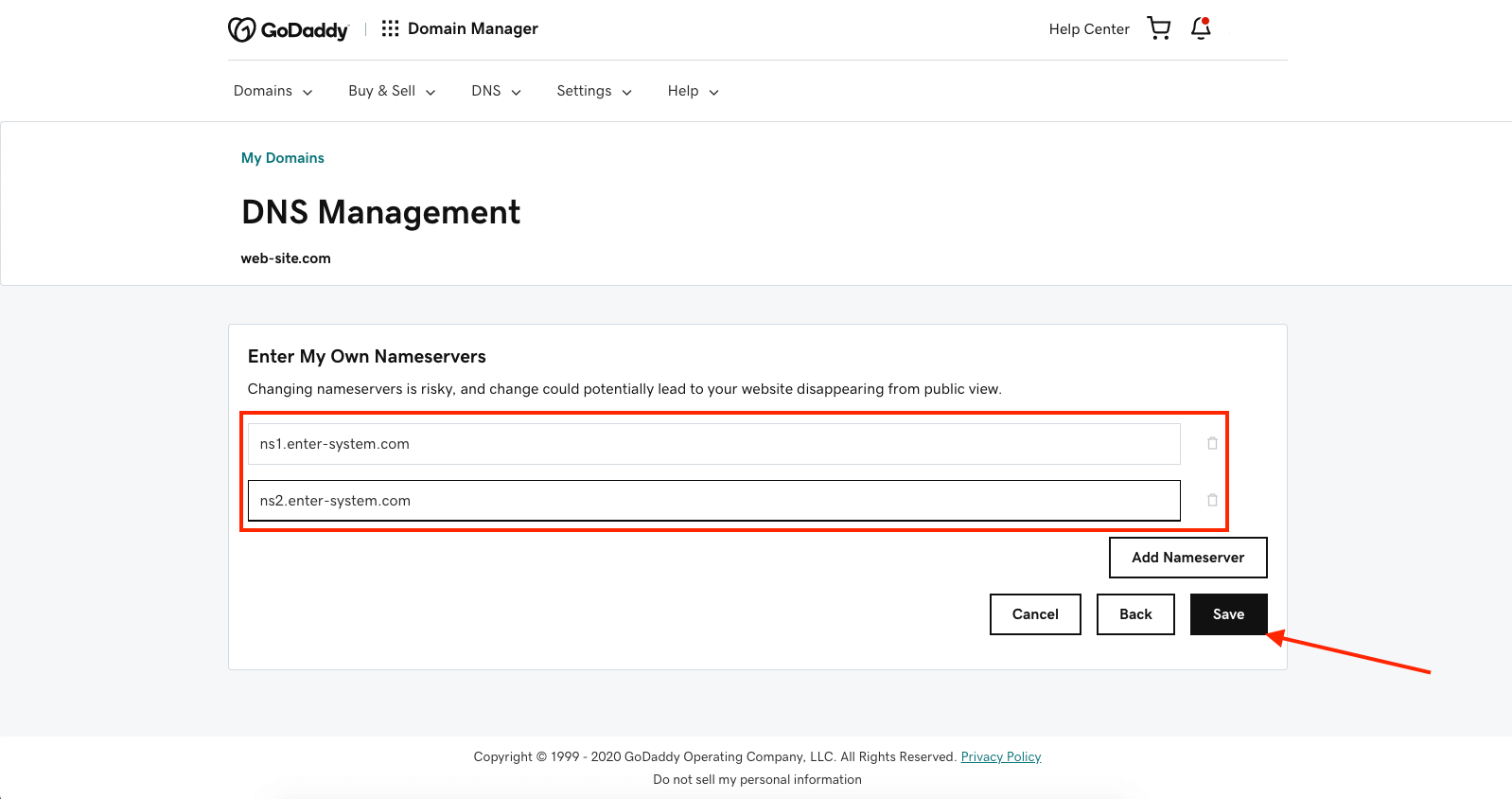
Select Enter my own nameservers.
Enter:
ns1.enter-system.com
ns2.enter-system.com
Save your changes.
DNS update time & plan requirement
DNS changes may take up to 72 hours to fully update worldwide.
To connect your GoDaddy domain to your site, make sure your website has a Premium plan/package—otherwise, the domain won’t work even with the correct A record and CNAME.
If you only update DNS records (A/CNAME/MX), DNS management remains in GoDaddy.
Do you need a website?Want to build a website but don't know where to start? Our website builder is the perfect solution. Easy to use, and with the ability to customize to fit your business needs, you can have a professional website in no time.Create a website
Don't wait any longer, create your website today!Create a website
Want to see a quick demo?
More than 1732 SITE123 websites created in US today!