

After registering a domain name, you must verify your contact information through a verification email.
Domains that are not verified will not become fully active and may eventually be suspended.
To verify your domain, follow the steps below:
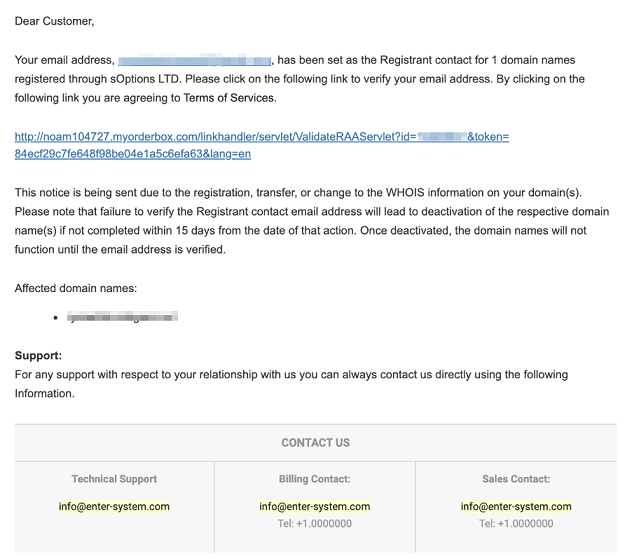
Go to the email address you used when registering the domain and look for a message with the subject:
IMPORTANT! Verify your contact information for {your-domain-name}
The content of the email should look like this:
If the email is not immediately visible, try searching for it:
Copy the subject line above
Paste it into your email search bar while in your Inbox
If it still doesn’t appear, check your Spam/Junk folder, as the email may have been filtered there
Once you locate the email, open it and click the verification link inside.
Please note:
The verification process may take up to 24 hours to complete after clicking the link.
Some domains may appear live immediately after purchase. However, they are still considered pending verification.
If verification is not completed, the domain may be temporarily taken offline until the process is finished.